Client CV templates stop costing your recruiters time when your agency keeps one template per client in one shared place, writes that client's rules next to it, and produces every submission from one checked candidate profile. If key clients each send their own Word file for candidate or consultant CVs, and your team retypes every CV into it by hand, this is the set-up to aim for. Before you buy a tool for it, test it with your most demanding client's current file and one real CV.
Why copying into each client's Word file breaks down
Most agencies start the same way. A key client sends its own Word template, someone saves it on a shared drive, and recruiters paste candidate details into it by hand. With one client that is manageable. By the fifth, three things go wrong:
- Dates and titles drift. The same candidate is retyped into three layouts, and a start date or a job title ends up different in one of them.
- Old versions keep going out. Each recruiter has a copy of the client's file on their desktop. The client changes its logo or adds a section, and the old copies are still in use a month later.
- Rules live in people's heads. One client wants employer names hidden, another accepts two pages at most, a third reads profiles in German. A new recruiter finds out from a CV the client sends back.
What fixes it is keeping the candidate's details in one profile and each client's presentation in its own template.
Keep one profile and one template per client
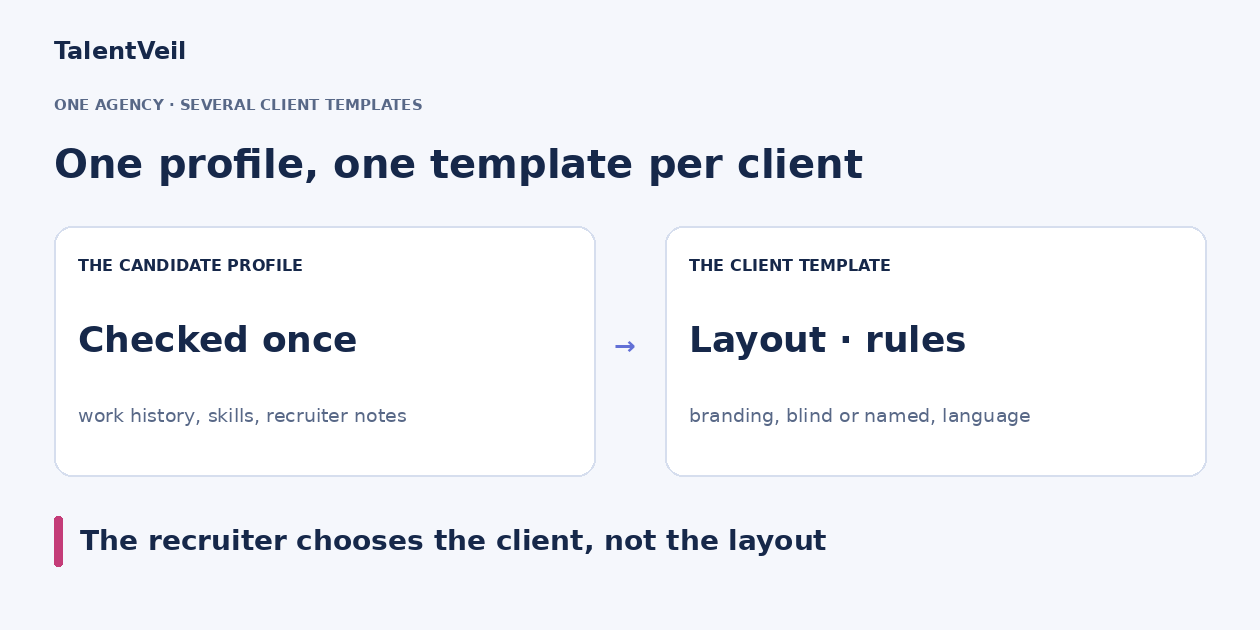
The candidate profile holds the work history, skills and recruiter notes, checked once against the original CV. Each client's template decides only how that profile is presented: layout, branding, order of sections, language and what is hidden.
A recruiter submitting one candidate to two clients produces two documents from one profile. A correction is made once, in the profile, before any client version goes out. This is also where an ATS export template and candidate-profile software differ: the template handles the layout, the profile holds the checked content.
Copy this client template register
Keep one row per client in a shared spreadsheet, with these nine columns:
- Client and template file: the client's name, the file it sent and the date of that version.
- Output format: Word, PDF or both, and whether the client edits the file after you send it.
- Blind or named: whether the first submission hides the candidate's personal details.
- Employer names: the full name, a description by industry ("a European retail bank") or a general description.
- Language: the language the client reads profiles in, which is often not the language of the CV.
- Length and sections: page limit, required sections and their order.
- Writing style: close to the candidate's own wording, descriptive, bullet points or focused on impact.
- Template owner: the person in your agency who updates the template when the client sends a new one.
- Client approver: who at the client confirms the template is right, and when they last did.
Blind or named, employer names, language and writing style are rules a template can apply for you as settings. Section order belongs in the template's layout, and the page limit stays a check for the recruiter. The template owner and the client approver are what keep the register current.
Own template or a copy with different settings?
Not every client difference needs a new layout. Use this rule:
- Build the client its own template when its brand or its own document has to appear: its logo, its layout, its section order, or a file it supplied.
- Copy your agency template and change the settings when only the content rules differ: hidden personal details, how employers appear, the output language or the writing style. There is no new layout to build, and the register says which copy each client gets.
Name every template after the client it serves, so a recruiter picks "Client A" and never has to guess.
When a client sends a new version of its template
Clients update their templates without warning. Handle it the same way every time:
- The template owner replaces the file and updates the version date in the register.
- Produce one existing profile in the new template and send it to the client approver.
- Once they confirm, remove the old version so no one picks it by mistake.
From that day, every new profile for that client uses the new version.
Test one client template before you commit
Choose your most demanding client and one real CV that was hard to format. Then check four things:
- The same details in both versions. Produce the candidate in your agency template and in the client template. Dates, titles and employers must match.
- The Word file holds up. Export to Word, open it as the client would, and make a small edit. The layout should stay in place.
- Blind and named from one profile. Switch the candidate's personal details off and on. That should be a setting, with one profile behind both documents.
- A colleague gets the same result. Ask another recruiter to produce the same candidate for the same client without your help.
When a tool passes all four for one client, each further client is the same set-up again. For a single-template version of this test with a scoring card, see consultant CV formatting software: a client-template test.
How TalentVeil handles several client templates
In TalentVeil your organisation can hold several templates: your agency's own and one for each key client. Each template keeps its rules: how experience is written, how employer names appear, the output language and pronouns, and whether personal details are shown. Recruiters upload the CV, choose the client's template, check the profile and export it as PDF or Word. See how it works on the Blind CV generator, or read how automated CV formatting for recruitment agencies fits your process.
You can build templates yourself on every plan. On Business we set your template up for you or move your current one over, and on Scale we set up several brands and templates. On Starter and Team, a set-up by us is a one-off add-on priced by the work. See plans and pricing.
When the profiles are ready, share your shortlist in a branded client portal and see who your client likes.
Start free with 10 profiles and every feature, no card: build your most demanding client's template and try it on one real CV.